
INTERNATIONAL AMAZON SELLING
How to Handle Currency Conversion as an International Amazon Seller
By Brandhunterz Ltd | Company No: 15342697 | 13 minute read
Affiliate Disclosure: This article contains affiliate links. If you purchase through our links we may earn a commission at no extra cost to you. We only recommend tools we genuinely use and believe in. Read our full disclaimer.
Currency conversion is one of the most financially significant decisions an international Amazon seller makes — and yet it is one that most sellers handle passively by simply accepting whatever rate their payment service applies at the time of each disbursement. For sellers based in Pakistan India Bangladesh the Philippines the UAE or anywhere outside the USA and UK every dollar or pound earned on Amazon must pass through a currency conversion before it becomes usable local income — and the rate at which that conversion happens and the fees charged on each transaction directly affect how much of your Amazon revenue you actually keep. At low monthly volumes the difference between a good and a poor conversion strategy might be $30 to $50 per month. At higher volumes that difference becomes hundreds or thousands of dollars annually — real money that goes to a payment provider instead of back into your business.
We are Brandhunterz Ltd — a UK registered wholesale sourcing company (Company No: 15342697) — and in this complete guide we cover exactly how currency conversion works for international Amazon sellers the key concepts every seller needs to understand — mid-market rate FX markup and conversion timing — how to compare and choose the right conversion method how to use Wise and Payoneer effectively for currency management how to time your conversions strategically and how to build currency costs correctly into your product margin calculations from the very beginning.
💡 Quick Summary
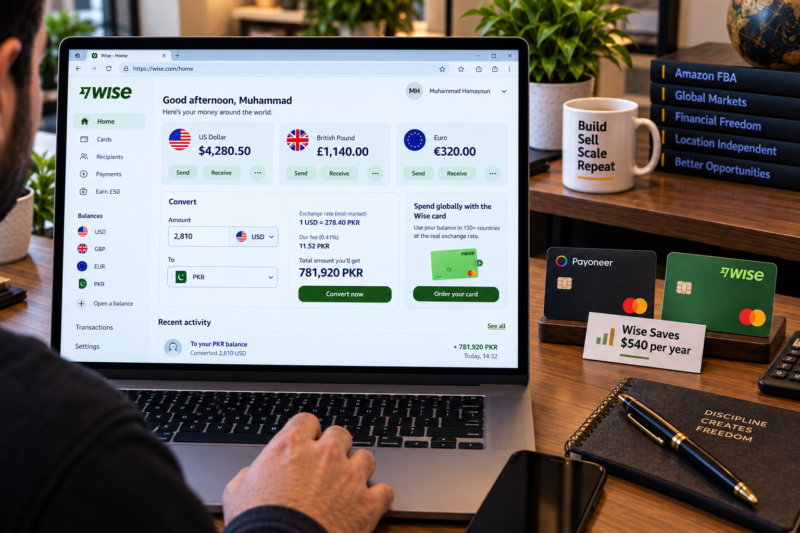
Wise gives international Amazon sellers the best currency conversion rates by using the mid-market rate with a small transparent fee of approximately 0.35% to 1% — compared to Payoneer’s approximately 2% markup and Amazon’s own Currency Converter which typically applies 1.5% to 3% above mid-market. The difference compounds significantly at scale — a seller converting $3,000 per month saves approximately $45 per month or $540 per year by using Wise instead of Payoneer. Always hold your USD or GBP in your Wise or Payoneer account and convert to local currency in batches when exchange rates are favourable rather than converting every disbursement immediately. Build a fixed currency conversion cost into every product margin calculation — using a conservative rate assumption to protect your margins against exchange rate movements.
Key Currency Concepts Every International Seller Must Understand
Before comparing conversion methods it is essential to understand the three concepts that determine how much of each Amazon disbursement you actually receive in your local currency:
| Concept | What It Means | Why It Matters |
|---|---|---|
| Mid-market rate | The true interbank exchange rate — the midpoint between the buy and sell price on global currency markets — the rate you see on Google or XE.com — no provider actually gives you this rate but it is the benchmark everything is measured against | Always compare your actual conversion rate against the mid-market rate to understand how much you are losing to FX markup — any rate worse than mid-market is a cost to you |
| FX markup | The percentage the payment provider adds above the mid-market rate when converting your currency — a 2% FX markup means they convert at a rate 2% worse than mid-market and keep the difference as profit — this is how most payment providers earn revenue on currency conversion | A lower FX markup means more of every disbursement reaches your local bank account — choosing Wise at 0.5% over Payoneer at 2% saves 1.5% of every conversion — which adds up to significant money over a year of Amazon selling |
| Conversion timing | Exchange rates fluctuate daily — the USD to PKR rate for example can move by 1% to 3% within a single week — converting all your earnings on the same day every two weeks locks you into whatever rate happens to be available that day — holding funds and converting at better moments can meaningfully increase your local currency received | Sellers who hold USD or GBP balances and convert in batches when rates are favourable often receive meaningfully more local currency than sellers who convert every disbursement immediately on receipt |
Currency Conversion Methods Compared
International Amazon sellers have four main ways to convert their Amazon earnings from USD or GBP into their local currency. Here is a complete comparison of all four:
| Method | How It Works | Typical FX Cost | Rating |
|---|---|---|---|
| Wise | Receive Amazon disbursement into Wise USD or GBP virtual account — hold the balance — convert to local currency at mid-market rate plus small transparent fee when ready — withdraw to local bank | ~0.35% to 1% | ⭐⭐⭐⭐⭐ Best |
| Payoneer | Receive Amazon disbursement into Payoneer USD or GBP virtual account — hold the balance — withdraw to local bank at Payoneer’s exchange rate — rate typically 2% above mid-market | ~2% | ⭐⭐⭐ Good |
| Amazon Currency Converter | Amazon converts your disbursement from USD or GBP to local currency using Amazon’s own exchange rate — pays converted amount directly to your local bank — no third-party account needed but rate is least transparent | ~1.5% to 3% | ⭐⭐ Acceptable |
| Local bank conversion | Receive USD or GBP into a local bank account and let the bank convert — most local banks in Pakistan India and other countries apply very poor exchange rates and high transfer fees on foreign currency receipts | ~3% to 5%+ | ⭐ Poor |
How Much Does the Rate Difference Cost at Scale?
The FX cost difference between Wise and Payoneer compounds significantly as your Amazon business grows. Here is a worked example showing the real annual cost difference at three different monthly disbursement levels:
| Monthly Disbursement | Wise Annual FX Cost (~0.5%) | Payoneer Annual FX Cost (~2%) | Annual Saving with Wise |
|---|---|---|---|
| $1,000 per month | $60 | $240 | $180 per year |
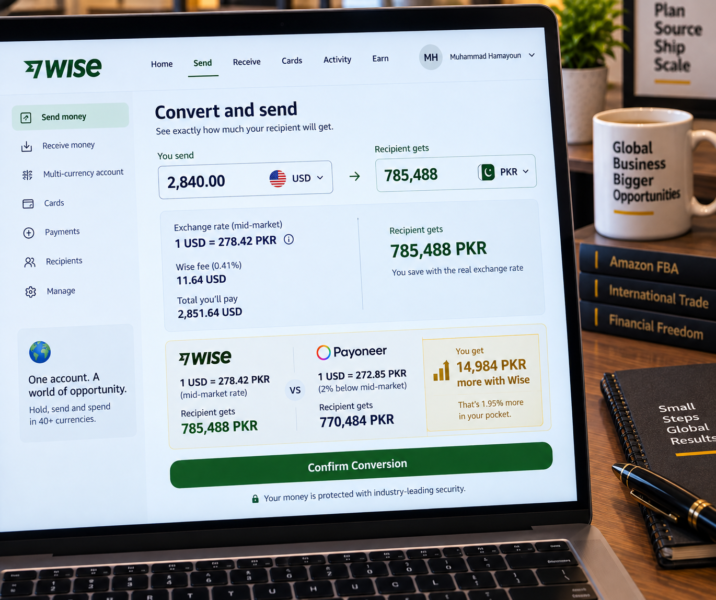
| $3,000 per month | $180 | $720 | $540 per year |
| $8,000 per month | $480 | $1,920 | $1,440 per year |
FX costs are illustrative based on approximate rates — actual costs vary by date and currency pair. Wise fee assumed at 0.5% and Payoneer markup assumed at 2% above mid-market for this comparison.
How to Use Wise for Currency Conversion — Step by Step
Register Your Wise Account and Obtain Your Virtual Bank Details
Register at Wise — complete identity verification with your passport — activate your USD virtual account — note the US routing number and account number. For Amazon UK also activate your GBP virtual account — note the UK sort code and account number. These are the bank details you enter into Amazon Seller Central as your disbursement accounts.
Receive Amazon Disbursements Into Your Wise Balance
Amazon disburses every 14 days — after a 14-day holding period — directly into your Wise USD or GBP balance. The disbursement appears in your Wise account within 1 to 3 business days of Amazon initiating it. Your Wise balance accumulates in USD or GBP — you are not obligated to convert it immediately — you can hold it until you choose to convert.
Monitor the Exchange Rate and Convert in Batches
Rather than converting every disbursement immediately — which locks you into the rate on that specific day — allow two or three disbursements to accumulate in your Wise USD balance and monitor the USD to PKR or USD to INR rate daily using Google or XE.com. When the rate moves favourably above your monthly average convert a larger batch in one transaction. This approach increases your average conversion rate over time without any active currency speculation — just patient timing.
Convert and Withdraw to Your Local Bank Account
In your Wise account go to Convert — select USD to PKR or USD to INR or your local currency — Wise shows you the exact rate the exact fee and the exact local currency amount you will receive before you confirm — no hidden charges no rate surprises. Confirm the conversion and initiate a withdrawal to your local bank account. Funds typically arrive within 1 to 3 business days depending on your country and bank.
How to Build Currency Costs Into Your Product Margins
One of the most important and most commonly overlooked aspects of currency management for international Amazon sellers is factoring currency conversion costs into your product margin calculations from the very beginning. Every margin you calculate in AMZScout shows you a USD or GBP net profit — but the money you actually spend on wholesale orders is either in USD directly or in your local currency converted to USD to pay the supplier. Here is the correct approach:
| Margin Calculation Step | How to Handle Currency Correctly |
|---|---|
| Cost of goods — paying your US supplier | If paying your US supplier in USD from your Wise or Payoneer USD balance — no conversion needed — the wholesale cost is already in USD and enters your AMZScout calculation directly as your cost price |
| Cost of goods — paying from local currency | If converting PKR or INR to USD to pay your supplier — add a 1% to 2% buffer to your wholesale cost to account for the conversion cost — a $10 unit at a 2% conversion cost is effectively $10.20 — use $10.20 as your cost price in AMZScout |
| Net profit — converting USD earnings back to local currency | Your AMZScout net profit is in USD — when planning your business always calculate what that USD profit converts to in local currency at a conservative exchange rate — 5% below the current rate — to protect yourself against rate movements reducing your effective local profit |
| Reinvestment — paying next wholesale order | The most efficient approach is to reinvest USD profits directly — keep a portion of your Wise USD balance as working capital for supplier payments — this avoids converting USD to local currency and then back to USD for the next order and eliminates a full round-trip conversion cost |
💡 The Most Efficient Currency Cycle for International Amazon Sellers
Amazon disburses USD into your Wise USD balance → you keep 60% to 70% of each disbursement in USD as working capital for the next supplier order → you convert the remaining 30% to 40% to local currency for personal income when the rate is favourable → you pay your next supplier invoice directly from your Wise USD balance in USD → no double conversion round trip — maximum efficiency — minimum FX cost.
Exchange Rate Trends — What International Sellers Need to Monitor
Exchange rates are driven by macroeconomic forces that no individual seller can predict or control — but understanding the key factors that move the USD to PKR and USD to INR rates helps sellers make more informed conversion timing decisions:
| Rate Driver | What It Means for USD to PKR and USD to INR |
|---|---|
| US Federal Reserve interest rate decisions | When the Fed raises rates the USD typically strengthens — meaning more PKR or INR per dollar — when the Fed cuts rates the USD may weaken — Fed decisions are announced publicly and predictably at regular intervals |
| Pakistan State Bank interventions | The State Bank of Pakistan actively manages the PKR rate — IMF programme reviews and foreign exchange reserve levels significantly affect the PKR — sellers receiving USD benefit when PKR weakens against USD |
| India’s RBI policy and USD INR stability | The Indian Rupee tends to be more stable than the Pakistani Rupee against USD — RBI actively manages volatility — Indian sellers experience less rate shock but still benefit from timing conversions around rate movements |
| Global risk events | Geopolitical events global recessions and commodity price shocks often cause USD to strengthen as a safe haven currency — these events can temporarily increase your local currency receipts per USD disbursement |
Currency Conversion Mistakes International Sellers Make
| Common Mistake | How to Avoid It |
|---|---|
| Converting every disbursement immediately on receipt | Hold your USD or GBP balance and convert in batches of two to three disbursements when rates are favourable — passive timing beats automatic conversion every time at scale |
| Converting USD to local currency then back to USD to pay suppliers | Pay your supplier directly from your Wise USD balance — never convert to local currency and then back to USD — each round trip costs 1% to 4% in FX fees |
| Not tracking actual conversion rates received | Keep a simple log of each conversion — date amount rate received versus mid-market rate — this shows you clearly how much FX is costing you and motivates you to switch to Wise if you are still using a less efficient method |
| Using the current exchange rate for all margin planning | Always use a conservative exchange rate — 5% below current mid-market — when calculating your local currency profit projections — rates move and a product that looks profitable at today’s rate may be much less so if the rate moves against you |
| Ignoring currency costs in margin calculations entirely | Add 0.5% to 1% as a currency cost line to every AMZScout margin calculation — this is a real cost of operating an international Amazon business and should be treated as such in every sourcing decision |
Your Currency Management Checklist
| Currency Management Step | Done |
|---|---|
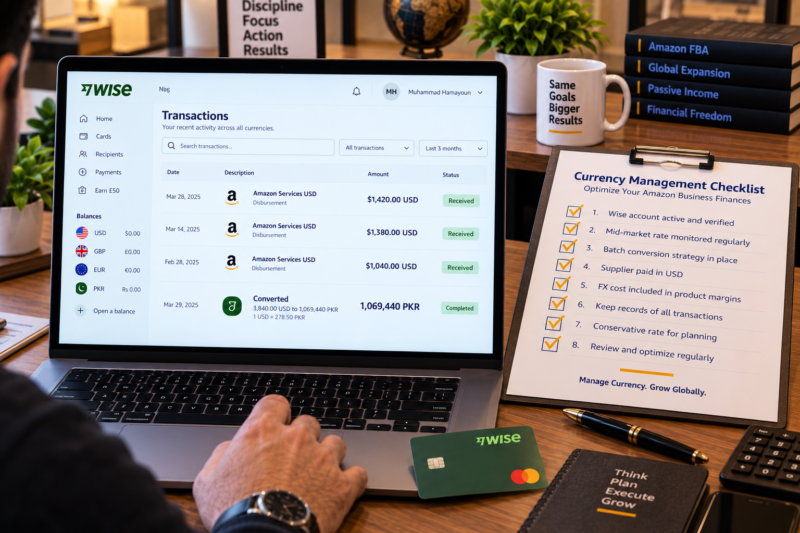
| Wise account registered — USD and GBP virtual accounts activated — account details entered in Amazon Seller Central | ☐ |
| Mid-market rate understood — Google or XE.com bookmarked — checked weekly to monitor USD to local currency trend | ☐ |
| Conversion timing strategy set — hold two to three disbursements then convert in batches when rate is favourable | ☐ |
| Supplier payment workflow set — paying supplier invoices directly from Wise USD balance — no round-trip conversion | ☐ |
| Currency cost included in all AMZScout margin calculations — 0.5% to 1% FX cost added to every product analysis | ☐ |
| Conservative exchange rate used for local profit projections — 5% below current mid-market used for planning | ☐ |
| Monthly conversion log maintained — date amount rate received vs mid-market fee paid — reviewed monthly | ☐ |
| Currency management optimised — maximum earnings converted at best available rates — FX costs minimised | ✅ Optimised |
Conclusion — Every Percentage Point of FX Saving Is Pure Profit
Currency conversion is not glamorous but it is genuinely one of the highest-return optimisations an international Amazon seller can make. Switching from Payoneer to Wise saving 1.5% on FX costs requires one registration and costs nothing. Holding your USD balance and converting in batches instead of immediately requires patience but no extra effort or cost. Paying your supplier directly in USD from your Wise balance instead of converting and converting back requires one habit change. None of these optimisations require you to find better products open more supplier accounts or increase your marketing spend — they simply ensure that more of every dollar you earn from Amazon actually reaches you. Use the Brandhunterz Brands Directory to source the right products. Research demand with Keepa. Confirm margins with AMZScout — and make sure every margin calculation includes an honest FX cost.
MAXIMISE EVERY DOLLAR YOU EARN ON AMAZON
Browse 5,000+ Verified Wholesale Brands Free
Find verified wholesale trade contacts in the Brandhunterz Brands Directory — source the right products build your international FBA business and keep more of every disbursement with the right currency strategy.
About the Author
This article is written by the team at Brandhunterz Ltd — a UK registered Amazon FBA wholesale sourcing company (Company No: 15342697) registered in England and Wales since 2023. Visit brandhunterz.com to learn more.