
AMAZON FBA WHOLESALE TIPS
How to Handle Amazon FBA Returns as a Wholesale Seller — Complete Guide
By Brandhunterz Ltd | Company No: 15342697 | 11 minute read
Affiliate Disclosure: This article contains affiliate links. If you purchase through our links we may earn a commission at no extra cost to you. We only recommend tools we genuinely use and believe in. Read our full disclaimer.
Returns are an unavoidable part of selling on Amazon. No matter how good your products are some customers will return them — wrong size, changed their mind, product not as expected or simply buyer remorse. As an Amazon FBA wholesale seller understanding exactly how the returns process works, how to manage returned inventory and how to minimise the financial impact of returns is essential knowledge for running a profitable business.
We are Brandhunterz Ltd — a UK registered wholesale sourcing company (Company No: 15342697) — and managing returns efficiently is something every serious wholesale seller must master. In this guide we explain the complete FBA returns process, what happens to your returned stock, how to claim reimbursements and the strategies that minimise return rates and maximise recovery value.
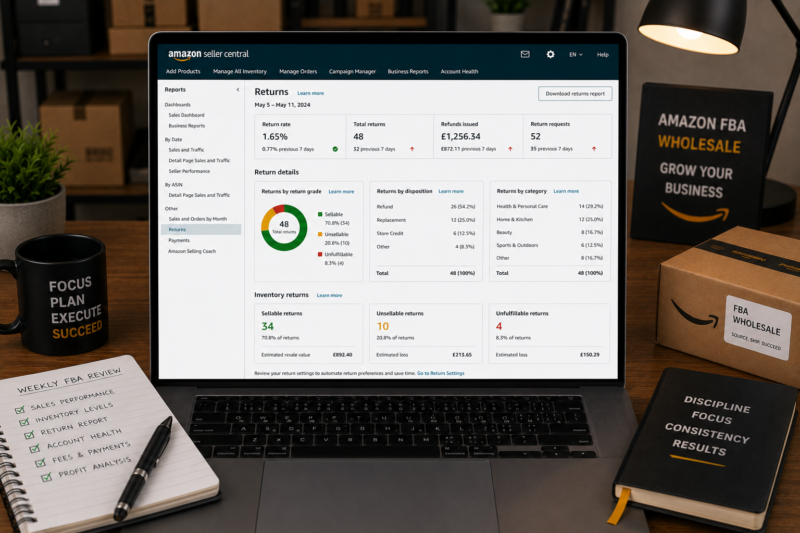
💡 Quick Summary
Amazon handles all FBA returns automatically — processing the return request, issuing the prepaid label, receiving the item, inspecting it and either returning it to your sellable inventory or placing it in unfulfillable inventory. Your main responsibilities are monitoring return rates, managing unfulfillable stock through removal or liquidation and claiming reimbursements for Amazon-damaged inventory.
How Amazon FBA Returns Work — The Full Process
When a customer returns an FBA order Amazon handles the entire process automatically on your behalf. Here is exactly what happens at each stage:
| Stage | What Happens | Your Role |
|---|---|---|
| Return Requested | Customer submits return request and reason | Amazon approves automatically |
| Return Label Issued | Amazon sends prepaid return label to customer | No action required |
| Item Returned | Customer sends product back to Amazon fulfilment centre | No action required |
| Item Inspected and Graded | Amazon inspects and assigns sellable or unsellable grade | No action required |
| Graded Sellable | Item automatically returned to your active inventory | Monitor inventory levels |
| Graded Unsellable | Item placed in unfulfillable inventory — cannot be sold | Decide — remove liquidate or dispose |
| Refund Processed | Customer refund issued — deducted from your account | Check if Amazon item reimbursement applies |
Understanding Return Grades
When Amazon receives a returned item they inspect it and assign a grade that determines what happens next. Understanding these grades is essential for managing your returned inventory effectively:
| Grade | Condition | Result | Your Action |
|---|---|---|---|
| Sellable | Unopened — original condition | Returns to active inventory automatically | No action needed |
| Customer Damaged | Damaged by customer during use or transit | Placed in unfulfillable inventory | Remove inspect or liquidate |
| Defective | Product not working correctly or faulty | Placed in unfulfillable inventory | Remove and investigate supplier quality |
| Carrier Damaged | Damaged during Amazon delivery to customer | Placed in unfulfillable inventory | Claim reimbursement from Amazon |
| Warehouse Damaged | Damaged in Amazon fulfilment centre | Placed in unfulfillable inventory | Claim reimbursement from Amazon |
💡 Important — Amazon Grades Are Not Always Accurate
Amazon’s grading process is done quickly at scale and is not always accurate. Items graded as unsellable and returned to you via a removal order are sometimes in perfectly resellable condition. Always inspect removed items yourself — you can often relabel and resend them as new FBA stock or sell them on eBay via Zik Analytics verified categories for additional recovery value.
Typical Return Rates by Product Category
Return rates vary significantly by product category. Factor these benchmarks into your margin calculations when evaluating any wholesale product — always combine with Keepa data and the Amazon FBA calculator for a complete financial picture:
| Category | Typical Return Rate | Main Return Reason |
|---|---|---|
| Health and Beauty | 2 to 4% | Allergic reaction or not as described |
| Pet Supplies | 2 to 4% | Pet did not like or wrong size |
| Kitchen and Home | 3 to 6% | Not as expected or size issues |
| Toys and Games | 3 to 6% | Not as expected or gift duplicate |
| Sports and Fitness | 4 to 7% | Size fit or performance issues |
| Electronics | 8 to 15% | Defective or compatibility issues |
| Clothing and Fashion | 15 to 30% | Wrong size or not as described |
For beginning wholesale sellers the strong recommendation is to start in low return rate categories — Health and Beauty, Pet Supplies and Kitchen and Home all offer manageable return rates that do not significantly erode your margins. High return rate categories like Clothing and Electronics require more advanced margin management to remain profitable.
Managing Unfulfillable Inventory
Unfulfillable inventory sits in Amazon’s warehouse accruing monthly storage fees without generating any sales. You must deal with it promptly — leaving it too long in the warehouse leads to long-term storage fees that are significantly higher than standard storage rates. You have three options:
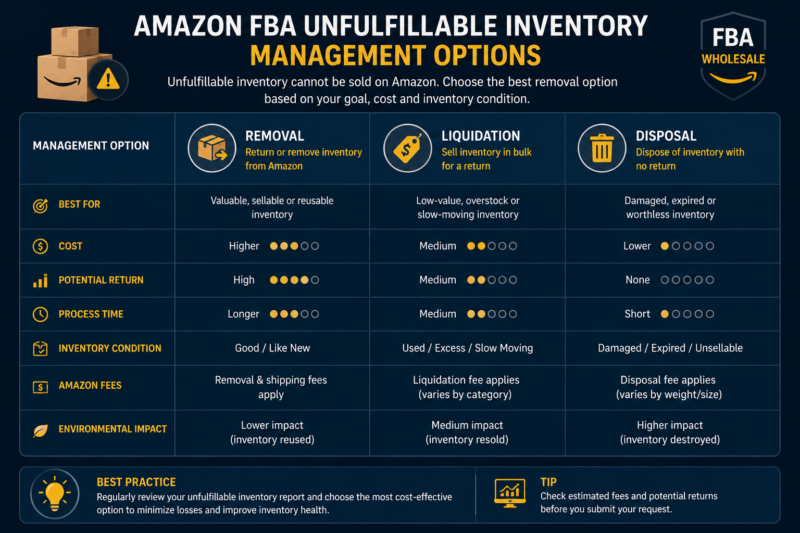
Option 1 — Removal Order (Best for Inspectable Items)
Request Amazon return the unsellable stock to your address. Amazon charges a removal fee per unit — typically £0.25 to £0.60 depending on product size. Once you receive the items inspect them personally. Frequently items Amazon grades as unsellable are actually in good or resellable condition — especially those returned for buyer’s remorse rather than genuine defects. Items in good condition can be relabelled and resent to FBA as new stock or sold on eBay.
Option 2 — Amazon Liquidations (Best for Large Volumes)
Amazon sells your unsellable inventory to third-party liquidation buyers on your behalf. You receive a percentage of the estimated recovery value — typically 5 to 10 percent of the original sale price. This is the lowest value recovery option but requires no effort from you and removes the storage fee liability immediately. Best used for large volumes of genuinely damaged stock where inspection and resale is not worth your time.
Option 3 — Disposal (Best for Worthless Items)
For genuinely damaged, expired or worthless items Amazon can dispose of them for a small fee per unit — typically £0.15 to £0.30. You recover nothing from the product but eliminate the ongoing storage fee liability immediately. Use disposal only for stock where recovery is impossible — not as a shortcut for items you have not inspected yet.
| Option | Cost Per Unit | Recovery Value | Best Used For |
|---|---|---|---|
| Removal Order | £0.25 to £0.60 | Highest — resell or reuse | Items likely in good condition |
| Liquidation | No upfront cost | Low — 5 to 10% of value | Large volumes of unsellable stock |
| Disposal | £0.15 to £0.30 | Zero recovery | Genuinely damaged or expired items |
How to Claim Reimbursements for Amazon-Damaged Inventory
When Amazon damages or loses your stock in their fulfilment network you are entitled to reimbursement at the product’s estimated sale value. Amazon does not always process these automatically — active monitoring and manual claiming can recover significant amounts that would otherwise be lost.
Reimbursement Types You Can Claim
| Reimbursement Type | When It Applies |
|---|---|
| Warehouse damage | Item damaged in Amazon warehouse before sale |
| Lost inventory | Item declared lost after investigation — never found |
| Carrier damage | Item damaged by Amazon courier during customer delivery |
| Return not received | Customer refund issued but item never returned to Amazon |
| Shipment discrepancy | Units sent in shipment not checked in by Amazon |
How to Check and Claim
Download Your FBA Inventory Reports Monthly
Go to Seller Central then Reports then Fulfilment then Inventory. Download the Monthly Inventory History report and compare units received versus units sold versus units currently in inventory. Any unexplained shortfall is a potential reimbursement claim.
Check Your Reimbursements Report
Go to Reports then Payments then Reimbursements. This shows every reimbursement Amazon has already processed. Cross-reference against your inventory discrepancy report — any shortfall not already reimbursed is a potential claim.
Open a Case in Seller Central
Go to Help then Contact Us and open a support case providing the ASIN, order ID and specific details of the discrepancy. Amazon typically investigates within 7 to 14 business days and either confirms reimbursement or explains the discrepancy.
Use Helium 10 Refund Genie for Automation
For active sellers with large SKU counts manually auditing reimbursements is time-consuming. Helium 10 includes a Refund Genie tool that automatically identifies potential reimbursement claims and generates the case content for you to submit. This is one of the most cost-effective features in the Helium 10 suite — most active sellers find it recovers significantly more than the tool’s monthly subscription cost.
Strategies to Reduce Your Return Rate
While some returns are unavoidable, return rates are not fixed — there are specific actions that consistently reduce return rates for wholesale sellers:
| Strategy | Impact on Return Rate |
|---|---|
| Source authentic branded products only | Genuine products meet customer expectations — fewer not-as-described returns |
| Verify listing description matches product | Accurate descriptions prevent disappointed customers from the start |
| Inspect stock on arrival before sending to FBA | Never send damaged or defective units — prevents defective returns |
| Pack products securely for FBA shipment | Prevents transit damage that generates carrier-damaged return grades |
| Choose low return rate categories initially | Health Beauty Pet Supplies have structurally lower return rates |
| Review return reasons weekly | Identify patterns — multiple same-reason returns signal an addressable problem |
How to Include Returns in Your Profit Calculations
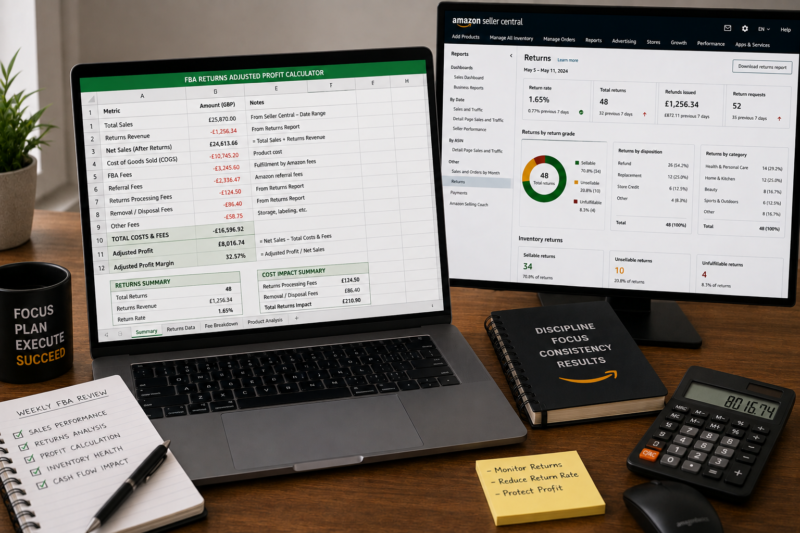
Returns have a direct and measurable impact on your actual monthly profit. Always account for expected return rates when using AMZScout or Helium 10 to project monthly revenues. Here is a worked example:
RETURNS-ADJUSTED PROFIT CALCULATION
| Gross Monthly Revenue (300 units x £14.99) | £4,497.00 |
| Minus All Amazon Fees (referral + FBA) | – £2,085.00 |
| Minus Wholesale Buy Price (£5.50 x 300) | – £1,650.00 |
| Gross Profit Before Returns | £762.00 |
| Minus Returns Cost (5% rate — 15 units x £14.99 refunded) | – £224.85 |
| ACTUAL NET MONTHLY PROFIT | £537.15 |
Conclusion — Returns Are Manageable With the Right System
Returns are a normal and expected part of Amazon FBA wholesale selling — not a crisis. With FBA handling the entire returns process automatically your main responsibilities are monitoring return rates, managing unfulfillable inventory promptly and claiming reimbursements for Amazon-damaged or lost stock.
The most powerful return rate protection available is sourcing exclusively from authentic verified wholesale brands. Genuine products from reputable suppliers consistently produce lower return rates, fewer authenticity complaints and fewer defective returns than stock sourced from unverified or grey market sources.
Browse our Brands Directory to find verified authentic wholesale suppliers — the foundation of low return rates and excellent account health — or view our complete course library for the full wholesale system.
REDUCE RETURNS WITH AUTHENTIC WHOLESALE SOURCING
Browse 5,000+ Verified Wholesale Brands Free
Every brand in the Brandhunterz Directory is verified as authentic and Amazon-compatible — the most effective protection against high return rates and account health issues from unverified sourcing.
About the Author
This article is written by the team at Brandhunterz Ltd — a UK registered Amazon FBA wholesale sourcing company (Company No: 15342697) registered in England and Wales since 2023. Visit brandhunterz.com to learn more.