
EBAY WHOLESALE SOURCING
How to Create Professional eBay Listings for Wholesale Products — Complete Guide
By Brandhunterz Ltd | Company No: 15342697 | 12 minute read
Affiliate Disclosure: This article contains affiliate links. If you purchase through our links we may earn a commission at no extra cost to you. We only recommend tools we genuinely use and believe in. Read our full disclaimer.
Your eBay listing is the only sales tool you have. There is no salesperson, no showroom and no packaging on a shelf to catch a buyer’s eye — just your title, your images, your description and your price competing against every other seller offering the same or similar products. A professional well-optimised listing converts browsers into buyers. A poor listing sends them straight to a competitor even when your price and product are identical.
We are Brandhunterz Ltd — a UK registered wholesale sourcing company (Company No: 15342697) — and in this complete guide we explain every element of a professional eBay listing for wholesale products — from title optimisation and image selection through to item specifics, description structure and pricing strategy — so every listing you create is built to rank well in eBay search and convert at the highest possible rate.

💡 Quick Summary
A professional eBay wholesale listing needs five core elements — a keyword-rich 80-character title, high quality brand images, complete item specifics, an accurate product description and competitive pricing based on Zik Analytics research. Listings with all five elements consistently outrank and outsell listings missing any one of them. Complete item specifics alone can double your listing visibility in eBay search.
How eBay Best Match Algorithm Ranks Your Listing
Before building your listing it is essential to understand how eBay’s Best Match algorithm decides which listings appear at the top of search results. Best Match is eBay’s relevance ranking system and it evaluates every listing across several factors:
| Ranking Factor | What eBay Evaluates | Impact |
|---|---|---|
| Title relevance | How well your title matches the buyer’s search query | Very High |
| Item specifics completeness | How many item specific fields are filled in | Very High |
| Seller performance | Feedback score defect rate and service metrics | High |
| Price competitiveness | How your price compares to similar sold listings | High |
| Handling time | How quickly you dispatch orders | Medium |
| Returns policy | Whether you accept returns and how quickly | Medium |
| Sales history | How many previous sales this listing has generated | Medium — grows over time |
Element 1 — The Title — Your Most Important Listing Asset
Your eBay title is the single most important element of your listing. It is the primary factor eBay uses to match your listing to buyer searches — and it is the first thing a buyer sees when your listing appears in results. eBay allows 80 characters for your title — use every single one of them.
What to Include in Your Title
| Title Element | Why Include It | Priority |
|---|---|---|
| Brand name | Buyers search by brand — especially for repeat purchases | Essential |
| Product name | Exact product name matches specific searches | Essential |
| Size or quantity | Buyers often search by size or pack size | Essential |
| Colour or variant | Colour searches are common for personal care products | Where relevant |
| Key benefit or descriptor | Anti-dandruff Organic Waterproof — adds search match | Where relevant |
| Category keyword | Shampoo Conditioner Dog Lead — category search terms | Fill remaining space |
Title Examples — Poor vs Professional
❌ POOR TITLE — 34 characters — wastes 46 characters
Brand X Shampoo 250ml
✅ PROFESSIONAL TITLE — 79 characters — fully optimised
Brand X Anti-Dandruff Shampoo 250ml for Dry Itchy Scalp Men Women Moisturising
💡 Title Rules to Always Follow
Never use all capitals — it looks unprofessional and does not improve ranking. Never use symbols like asterisks or exclamation marks — eBay filters them out. Never use filler words like “amazing” or “fantastic” — use that character space for searchable keywords instead. Use Zik Analytics competitor research to see which keywords top-selling listings use in their titles — then use those same keywords in yours.
Element 2 — Images — The Visual Sales Tool
Images are the second most important element of your eBay listing. Buyers cannot touch or inspect your product — your images must do all of that work for them. Poor images — dark blurry or showing an untidy background — immediately undermine buyer confidence even if your product and price are excellent.
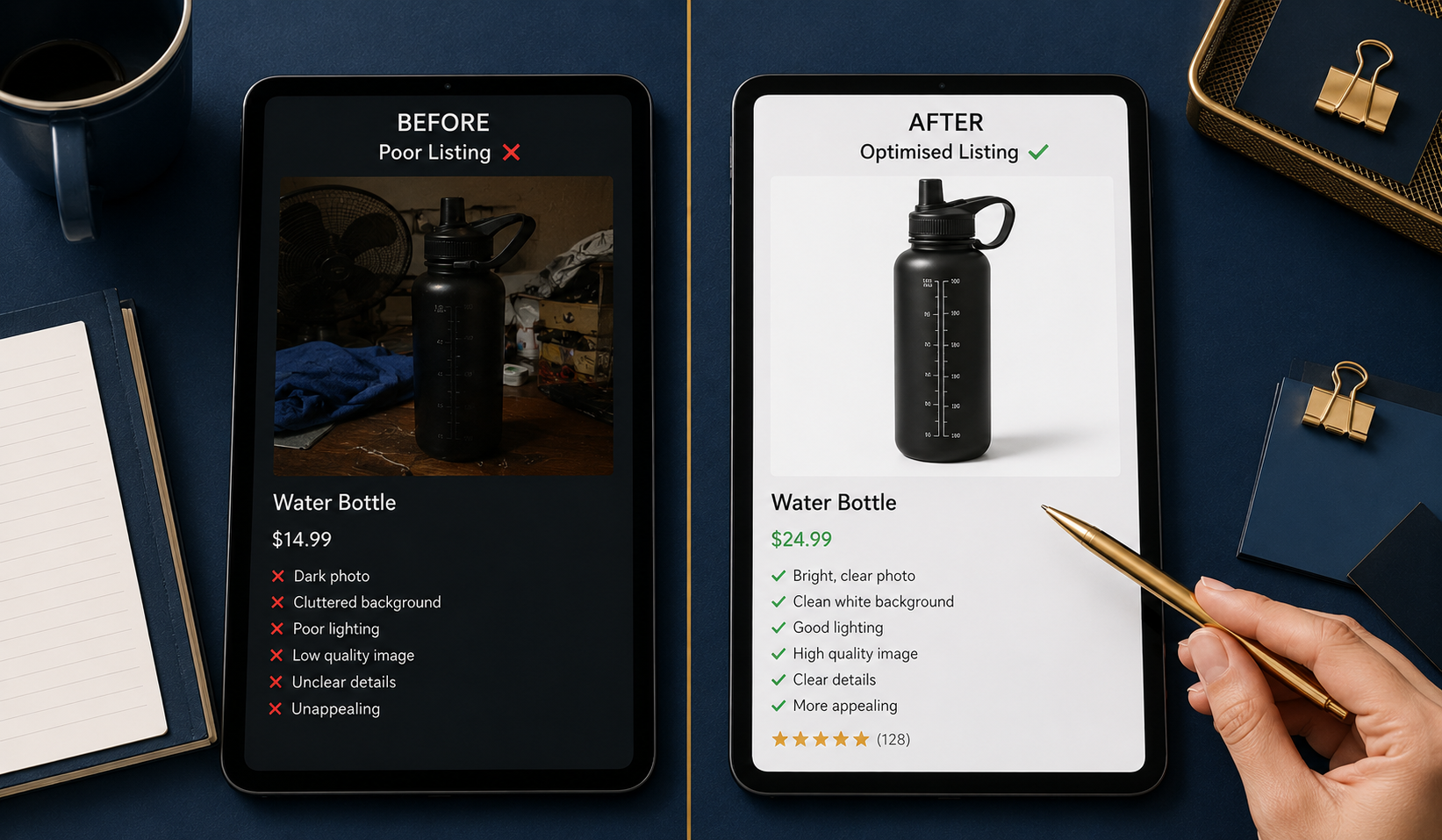
Image Requirements and Best Practice
| Image Element | Standard to Meet |
|---|---|
| Minimum resolution | 500 x 500 pixels minimum — 1600 x 1600 recommended for zoom |
| Main image background | White or very light grey — no clutter or props in main image |
| Number of images | Minimum 4 — eBay allows up to 24 — use at least 6 |
| Angles to show | Front back side top label ingredients — show everything relevant |
| Brand images | Use official brand-supplied images where available — always higher quality |
| Lifestyle images | Add 1 to 2 lifestyle context images alongside white background shots |
💡 Get Brand Images From Your Supplier
Always ask your wholesale supplier for their official product image pack when you open your account. Most established brands have a digital asset library with professional product photography on white backgrounds — exactly what eBay and buyers want to see. Using the brand’s own images means your listing looks as professional as any major retailer’s product page without any photography investment from you.
Element 3 — Item Specifics — The Hidden Ranking Booster
Item specifics are the structured data fields eBay provides for every category — Brand, Size, Colour, Material, MPN, EAN and many more depending on the category. They are arguably the most overlooked element of eBay listing optimisation and one of the most powerful for improving your search ranking.
eBay uses item specifics data to match listings to filtered searches. When a buyer searches for “250ml anti-dandruff shampoo” and filters by Brand and Size eBay only shows listings that have those specific fields completed. If your item specifics are incomplete your listing is invisible to filtered searches — no matter how good your title is.
Item Specifics Completion Rules
Complete Every Available Field
Fill in every item specific field eBay provides for your category — not just the required ones. Optional fields that most sellers leave blank are exactly where you gain a competitive advantage. Every completed field increases the number of filtered searches your listing appears in.
Always Include the EAN Barcode
The EAN barcode number is on every branded product. Including it in your item specifics allows eBay to match your listing to the exact product in their catalogue — significantly improving your visibility in product-specific searches. Find the EAN on the product packaging or request it from your wholesale supplier.
Use Exact Values Not Approximations
Enter exact values that match what buyers search for. If the product is 250ml enter 250ml — not approximately 250ml or around 250. eBay’s filtering system matches exact values and approximations do not reliably match filtered searches.
Check Competitor Listings for Field Ideas
Look at the top-selling listings for your product in Zik Analytics and click through to their eBay listing. Review their item specifics section — any fields they have completed that you have not are opportunities to improve your listing’s visibility immediately.
Element 4 — Product Description — Clear Accurate and Conversion-Focused
Your product description has two jobs — reassuring buyers that this is the exact product they want and providing information they could not get from your title and images. For wholesale branded products the description does not need to be complex — buyers already know the product. Your description needs to be accurate complete and easy to read.
Description Structure for Wholesale eBay Listings
PROFESSIONAL DESCRIPTION STRUCTURE
Section 1 — Product Overview (2 to 3 sentences)
Brand name product name and key benefit. What the product does and who it is for. Confirm it is 100% genuine branded product.
Section 2 — Key Features (bullet points)
5 to 7 bullet points covering the main product features size ingredients or specifications and any key selling points from the brand’s own product description.
Section 3 — Product Specifications
Size weight dimensions quantity in pack. Any relevant certifications or accreditations. Suitable for — skin type hair type pet breed etc.
Section 4 — Seller Information
Dispatch time returns policy feedback invitation. Keep this brief — one short paragraph maximum.
Section 5 — Authenticity Statement
Confirm all products are 100% genuine sourced directly from authorised wholesale distributors. This builds buyer confidence especially in categories prone to counterfeits.
Element 5 — Pricing — Competitive Without Destroying Your Margin
Pricing your eBay wholesale listings correctly is a balance between competitiveness for Best Match ranking and margin preservation for profitability. Always base your price on the average selling price data from Zik Analytics — never guess or use the highest listed price as your starting point.
| Pricing Approach | When to Use | Recommended |
|---|---|---|
| Match average selling price | Established listing with strong sales history | Yes — standard approach |
| Price slightly below average | New listing building initial sales history | Yes — for first 30 days |
| Price above average | Only if your listing quality is significantly better | Rarely — requires strong feedback |
| Race to lowest price | Never — destroys margin without proportional gain | Never |
Element 6 — Seller Settings That Affect Your Ranking
Beyond the listing itself several seller account settings directly affect your Best Match ranking. Set these correctly before listing any products:
| Setting | Recommended Value | Why It Matters |
|---|---|---|
| Handling time | 1 business day | Fastest handling improves Best Match ranking |
| Returns policy | 30 days free returns | Top Rated Seller status requires free returns |
| Payment methods | All accepted via eBay Managed Payments | Maximum buyer accessibility |
| Postage options | Free postage where margin allows | Free postage listings rank higher in Best Match |
| Listing format | Fixed Price — not Auction | Fixed price listings rank consistently — auctions expire |
Your Complete eBay Listing Checklist
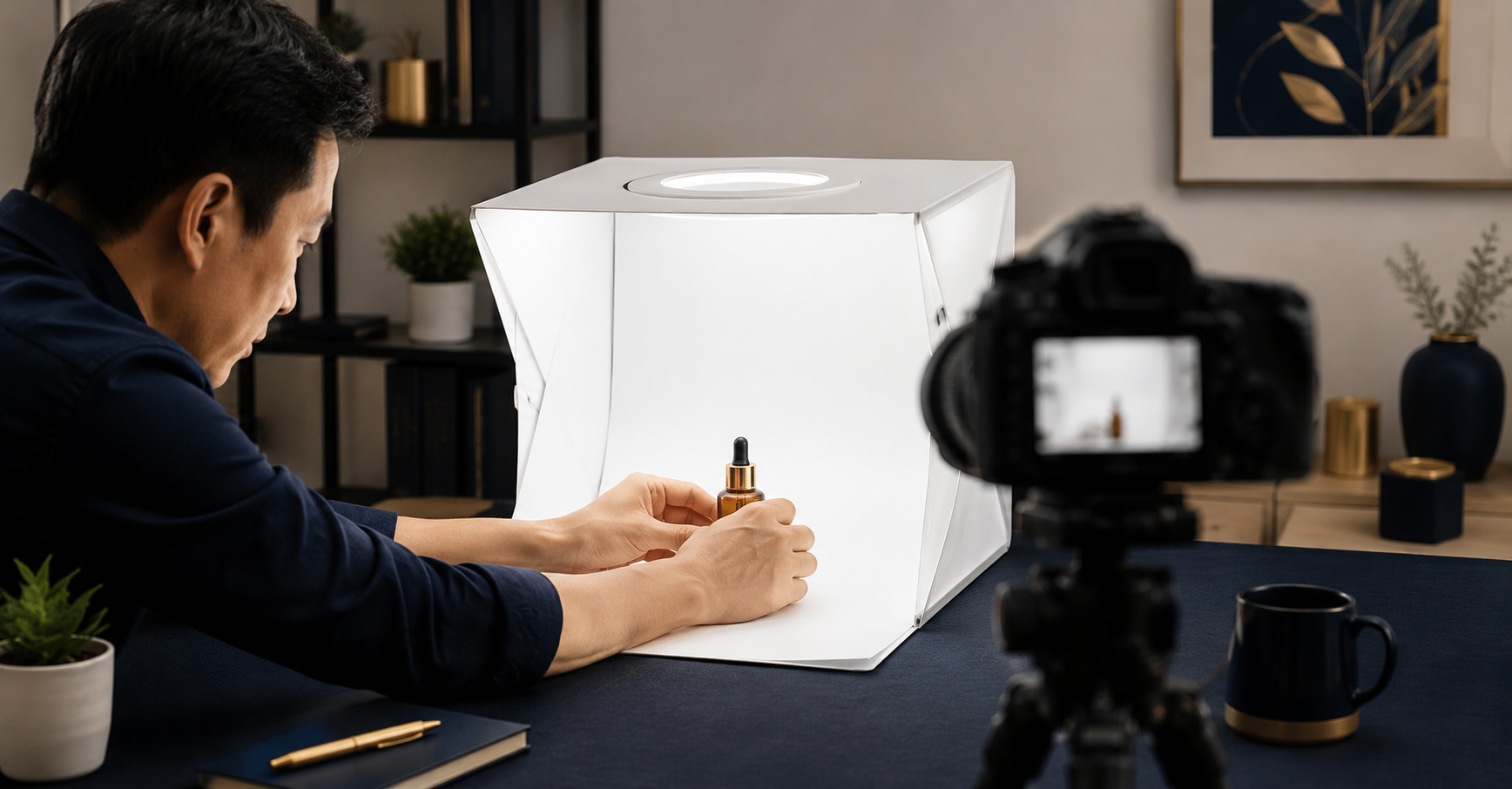
Use this checklist every time you create a new eBay listing — do not publish until every item is ticked:
| Checklist Item | Standard |
|---|---|
| Title is 75 to 80 characters and keyword-rich | ✅ |
| Minimum 6 high-quality images including white background main image | ✅ |
| Every item specific field completed including EAN | ✅ |
| Product description structured with overview features specs and authenticity statement | ✅ |
| Price set at or just below Zik Analytics average selling price | ✅ |
| Handling time set to 1 business day | ✅ |
| 30-day returns policy enabled | ✅ |
| Fixed price format selected — not auction | ✅ |
| Correct category selected for the product | ✅ |
| Postage options and costs set correctly | ✅ |
Conclusion — A Professional Listing is a Long-Term Asset
Every professional eBay listing you create is a long-term business asset. Unlike a physical shop display that you set up once and it stops working when you close — a well-optimised eBay listing continues to rank sell and generate reviews month after month with no additional effort once it is live and indexed. The time you invest in building each listing correctly from day one compounds significantly over time.
Use Zik Analytics to research what top sellers in your category are doing with their titles and item specifics — then build your listings to the same standard or better. Find the wholesale brands and products to fill those listings through our Brands Directory — all verified and ready to contact today.
FIND PRODUCTS WORTH LISTING PROFESSIONALLY
Browse 5,000+ Verified Wholesale Brands Free
Great listings need great products behind them. Our Brands Directory gives you verified wholesale brands across every major eBay category — all authenticated and ready for professional eBay reselling.
About the Author
This article is written by the team at Brandhunterz Ltd — a UK registered Amazon FBA wholesale sourcing company (Company No: 15342697) registered in England and Wales since 2023. Visit brandhunterz.com to learn more.